

Data sharing over IPFS
Data sharing packages a dataset as a Frictionless Data Package (a datapackage.json descriptor with a schema, plus CSV files) and, when you turn it on, publishes that package to the IPFS peer-to-peer network so another Social Explorer install, or anyone with the content identifier, can fetch it. Another install can import a package by CID into a new table.
Published data is public and permanent
Anything published to IPFS can be downloaded by anyone who has its CID, from any IPFS node or public gateway, with no sign-in. Other nodes may keep copies indefinitely. A published package cannot be recalled: an administrator can withdraw it, which stops your node serving it and removes it from the lists, but every copy someone else already downloaded stays where it is.
Because of this, the feature is off by default, only administrators can publish, and the app asks for confirmation before each publish. Read Before you publish first.
Why researchers use it
A published package is a plain CSV (which opens in Python, R or Excel) plus a datapackage.json schema that Frictionless libraries read, so nobody needs Social Explorer to use it. Its CID is a content fingerprint: the same CID always resolves to the same bytes, and any change gives a new CID. That makes it useful for:
- The dataset behind a paper or preprint. Put the CID in the data availability statement. Readers fetch the table exactly as it was when you published it, from any IPFS node or public gateway, with no account and without you running a separate download server: your app's own node serves it while the app runs.
- The same snapshot for every collaborator. Send one CID instead of emailing CSVs that drift apart. A collaborator's install (with sharing turned on there) imports it into a table with the same rows.
- Reproducible figures. Cite the CID next to the figure or in the notebook that draws it. Anyone can fetch that version and run the code against it.
- A supplement or replication package for reviewers. Generate the package, check the preview, publish once and include the CID in the submission. The content cannot change during review; keep it pinned so it stays reachable.
- A subset from an investigation. Create a view or table of the posts you selected, add a row for it to the
datasetscatalogue (in SQL; the interface cannot do this yet) and publish that instead of the raw crawl, which keeps the package small and easier to anonymise.
Publish before the table changes: the CSV is exported when you click Publish, not when you ran the analysis, and a publish that hits MAX_EXPORT_ROWS says so in datapackage.json (see Limits).
An imported package becomes a catalogued dataset on the Data Management page, and the built-in Jupyter notebooks read the same database, so you can query the new table like any other. The dashboards and investigations read the platform tables only, so an imported table does not appear there.
What it is not:
- Not private. There is no restricted or person-to-person sharing. Anyone who has the CID has the data, and a CID is not a secret. For data you cannot make public, use a channel you control instead, such as your institution's repository or a managed transfer service. The Copy Link button described below shares only the schema and a short preview with people who have an account on your server, not the dataset.
- Not reversible. Withdrawing stops your node serving the package, but it cannot reach copies other nodes already fetched. Once someone has fetched it, treat the data as disclosed.
- Not guaranteed to stay available. Content is served by whoever holds a copy, starting with your own node. If you stop your app and nobody else has pinned the package, the CID stops resolving. For long-term citation, keep your node running or pin the CID with a pinning service as well.
Do not use it for anything you could not post on a public website: personal data, data under an agreement that limits redistribution, or crawl output you have not reviewed. Anonymise first, check the licence and any ethics approval, and read Before you publish.
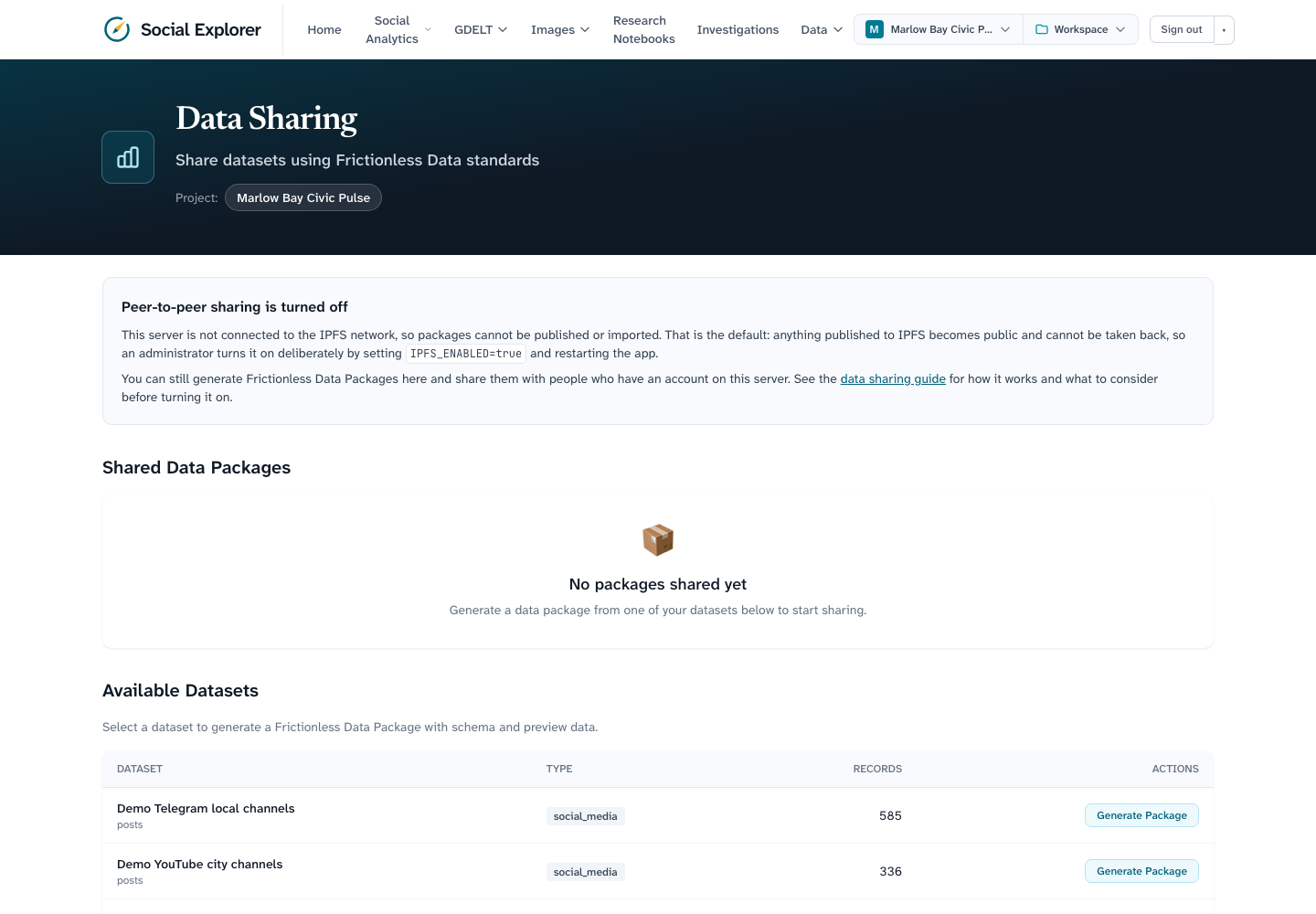
Without IPFS turned on you can still generate packages: the descriptor and a preview CSV are written to the packages directory and the Copy Link button gives a link to /api/data-sharing?action=get&id=..., which needs an account on your server. That part never leaves your server.
How it works
| Piece | What it does |
|---|---|
| Package generation | POST /api/data-sharing with a dataset_id from the catalogue (the Data Management page) reads the table's columns from information_schema, counts the rows, takes a preview (100 rows by default, at most 1,000) and writes datapackage.json and <table>-preview.csv under PACKAGES_DIR/<package-id>/. |
| Helia node | When sharing is on, the first publish or import starts a Helia IPFS node inside the app process (no separate daemon). It keeps blocks in IPFS_BLOCKSTORE_PATH and its peer identity and routing data in IPFS_DATASTORE_PATH. |
| Publishing | Exports the full table to <table>.csv (up to MAX_EXPORT_ROWS, 500,000 by default, in primary-key order or, without one, ordered by every sortable column, so batches do not overlap), adds every file in the package directory to the node as one directory, pins it so the blockstore keeps it, and returns the directory's CID. |
| Registry | The table ipfs_published_packages (created by migration 0007_ipfs_registry) records every package this install published or imported: CID, gateway URL, title, row count, size, status (published, imported or withdrawn), who did it and when (and, for a withdrawal, withdrawn_at and withdrawn_by, added by migration 0009_ipfs_withdrawn). The Data Sharing page reads it to show CIDs next to packages. |
| Gateway | A public HTTP gateway (IPFS_GATEWAY_URL, https://ipfs.io/ipfs by default) is only used to build a shareable https://.../ipfs/<cid> link. The server never fetches from this address; see the next paragraph for the gateways Helia itself uses. |
| Importing | Fetches the directory for a CID from the network, checks it, creates a table named ipfs_ plus the last 40 characters of the CID (lower-cased), loads the CSV with parameterised inserts, adds a row to the datasets catalogue and copies the files into PACKAGES_DIR. The same CID cannot be imported twice (409). |
The node runs with Helia's defaults, which do more than find peers. It listens on random TCP, WebSocket and WebRTC-direct ports on every interface (IPv4 and IPv6), dials the public bootstrap peers and joins the public DHT so other peers can find the content it pins. It also asks the router to open ports with UPnP, announces itself on the local network with mDNS, acts as a circuit relay for other peers' traffic, registers with libp2p.direct for a TLS certificate (AutoTLS), uses delegated routing over HTTPS (delegated-ipfs.dev) and fetches blocks over HTTPS from public trustless gateways (trustless-gateway.link, 4everland.io) when peers are slow. You can pin the listen ports and turn off UPnP, the relay server and AutoTLS (see Network and firewall); mDNS, the bootstrap peers, delegated routing and the HTTP gateways are not configurable (issue #252). The node starts on the first publish or import and stops when the app process stops.
Who may do what
| Action | Role |
|---|---|
| See generated packages, previews and the registry | any signed-in user |
| Generate a package, publish to IPFS, withdraw a package, import from IPFS | administrators only |
Reading stays open to every role on purpose. The registry lists only what was published, which is public anyway, and the packages list and previews (up to 1,000 rows of a dataset) are as visible as the dataset catalogue they come from, which is not scoped to projects today. If dataset access ever becomes per-project, package previews should follow it.
Non-admins see the page with those controls hidden; the API answers 403 if they call it anyway. See Authentication and roles.
Turning it on
- Read Before you publish and decide who will be an administrator.
- Set the variables below (in
.envfor Docker Compose, or the app's environment) and restart the app.
| Variable | Default | Description |
|---|---|---|
IPFS_ENABLED | false | Must be exactly true to turn sharing on. Anything else leaves it off. |
IPFS_BLOCKSTORE_PATH | /data/ipfs/blocks | Where published and fetched blocks are kept. Grows with everything you publish or import; put it on a disk with room. |
IPFS_DATASTORE_PATH | /data/ipfs/datastore | The node's identity and routing data (LevelDB). Keep it between restarts so the node keeps its peer ID. |
IPFS_GATEWAY_URL | https://ipfs.io/ipfs | Gateway used to build shareable links. Point it at your own gateway if you run one. |
IPFS_FETCH_TIMEOUT_MS | 120000 | How long an import waits for the network before answering 504. |
IPFS_MAX_FETCH_BYTES | 268435456 (256 MB) | Largest package an import accepts; bigger ones are refused with 422. |
IPFS_LISTEN_ADDRS | libp2p defaults (random TCP, WebSocket and WebRTC-direct ports on every interface, plus circuit relay) | Comma-separated multiaddrs to listen on instead, for example /ip4/0.0.0.0/tcp/4001,/ip4/0.0.0.0/tcp/4002/ws. See Network and firewall. |
IPFS_ANNOUNCE_ADDRS | none | Comma-separated multiaddrs to announce instead of the addresses the node detects, for example /dns4/data.example.org/tcp/4001 behind NAT or a proxy. |
IPFS_UPNP | true | Set to exactly false to stop the node asking your router to open ports. |
IPFS_RELAY_SERVER | true | Set to exactly false to stop the node relaying other peers' traffic. |
IPFS_AUTOTLS | true | Set to exactly false to stop the node requesting a libp2p.direct TLS certificate. |
PACKAGES_DIR | /data/packages | Where generated and imported packages are written. |
MAX_EXPORT_ROWS | 500000 | Most rows exported in one publish and loaded in one import. |
With Docker Compose the storage paths are fixed inside the container and mounted from ${DATA_DIR:-/data}/ipfs and ${DATA_DIR:-/data}/packages. The compose file forwards IPFS_ENABLED, IPFS_GATEWAY_URL, IPFS_FETCH_TIMEOUT_MS, IPFS_MAX_FETCH_BYTES, MAX_EXPORT_ROWS and the five network variables above from .env; put IPFS_ENABLED=true there.
Network and firewall
By default the node picks random ports, so there is nothing fixed to open. Outbound traffic must be allowed to the bootstrap peers and the DHT (TCP and UDP, any port) and over HTTPS to the delegated-routing and trustless-gateway hosts named above, or publishing works locally but nobody can fetch from you. For other peers to connect in, your node must be reachable; behind NAT or the Compose network it relies on relays (and on UPnP, if your router allows it), which works but is slower.
To make inbound connections predictable, set IPFS_LISTEN_ADDRS to fixed ports, open them on your firewall and publish them from the container, and set IPFS_ANNOUNCE_ADDRS to the public address peers should dial:
# .env
IPFS_LISTEN_ADDRS=/ip4/0.0.0.0/tcp/4001
IPFS_ANNOUNCE_ADDRS=/dns4/data.example.org/tcp/4001# docker-compose.override.yml
services:
ex-accell-ui:
ports:
- "4001:4001"Setting IPFS_LISTEN_ADDRS replaces the whole default list, including the circuit-relay entry, so list every transport you want (/ip4/0.0.0.0/tcp/4001/ws for WebSockets, /ip6/::/tcp/4001 for IPv6) and add /p2p-circuit if the node should still be reachable through relays. A value that is not a multiaddr is refused when the node starts (the publish or import answers 503 naming the variable). IPFS_UPNP=false, IPFS_RELAY_SERVER=false and IPFS_AUTOTLS=false remove those services from the node; only the exact string false does, and anything else leaves the default. mDNS, the bootstrap peers, delegated routing and the HTTP gateways cannot be switched off with the options Helia exposes, so the node always uses them (see issue #252). Unpublishing is tracked there too. The node is stopped cleanly when the app receives SIGTERM or SIGINT (for example docker compose stop), which releases the datastore lock; if the process is killed outright, remove a stale LOCK file in IPFS_DATASTORE_PATH before the next start.
Disk use
Publishing keeps the full CSV in PACKAGES_DIR and a copy in the blockstore; importing keeps the fetched blocks, the package files and the new table. Budget roughly three times the CSV size per published dataset. Nothing is cleaned up automatically.
Publish a dataset
- Open Data → Data Sharing. If the page says sharing is turned off, see Turning it on.
- Under Available Datasets, choose a dataset and click Generate Package. The package appears under Shared Data Packages; Preview shows its schema and first rows, so check them now.
- Click Publish to IPFS. A dialog explains that the data becomes public and that copies others download cannot be recalled; click Publish publicly to go ahead. The full table is exported and pinned; this takes a while for large tables.
- The card now shows the CID. Copy CID copies it; Copy gateway URL copies an
https://link anyone can open.
Withdraw a package
If you published something by mistake, or no longer want your server to offer it, an administrator can click Withdraw on its card (sharing must be turned on, because the node has to be running to let go of the data) and confirm. The server then:
- unpins the package and garbage-collects the blockstore, so this node stops serving it (blocks that another package you published also uses stay, because that package still needs them; the same collection also drops the cached blocks of packages you imported, which only costs a re-fetch if you serve them again);
- marks the registry row
withdrawn, with who did it and when (administrators can see this), and removes it from the registry list. The package stays on Shared Data Packages as a local package, without its IPFS badge, and the card offers Publish to IPFS again.resolvefor its CID answers only that it was withdrawn.
What it cannot do: delete copies that other people or nodes already hold, or make the CID stop resolving anywhere else. Anyone who fetched the data before you withdrew it still has it and can republish it. Treat the data as disclosed, and if it was personal data, follow your own breach or takedown process. Withdrawing also leaves the generated package files in PACKAGES_DIR (the full exported CSV and the preview); delete that directory yourself if you want the files gone from the disk.
Publishing the package again pins it again and the row becomes published. Only a package this install published can be withdrawn, not one it imported. A withdrawal takes turns with publishing, so it waits for a publish or import that is in progress. If you publish two packages that share a file, withdraw one, publish it again and then withdraw the other, Helia's pin counts for the shared blocks can come out wrong and the remaining package may lose blocks on this node; publish it again to restore them.
Share the CID
Send the CID (or the gateway URL) to the person who should have the data. A CID is a hash of the content, so the recipient gets exactly the files you published, and the same files always have the same CID.
Keep your app running: until other nodes have cached it, your node is the only one serving the package.
Fetch and import a package
- On Data Sharing, under Import from IPFS, paste the CID and click Fetch & Import.
- The server fetches the directory (subject to the timeout and size cap), checks that it holds a
datapackage.jsonwith a CSV resource whose fields are plain identifiers, creates the table and loads it. - The new table appears in the catalogue as an
importeddataset fromipfs. The registry table keeps a row with statusimportedtoo, though the Data Sharing page and?action=registrylist published packages only. Importing the same CID again is refused (409).
Only import CIDs from people you trust. A package is data, not code, and every name in it is checked before it reaches SQL or the file system, but the rows themselves are whatever the publisher put there.
Limits
- Preview rows: 100 by default, 1,000 at most.
- Export and import:
MAX_EXPORT_ROWSrows (500,000 by default). A publish that hits the cap says so indatapackage.json(social_explorer.truncated); an import quietly stops reading the CSV at the cap. - A package may hold at most 100 files.
- Fetch:
IPFS_FETCH_TIMEOUT_MSandIPFS_MAX_FETCH_BYTES. - Only datasets in the catalogue can be packaged; application tables (users, projects, memberships, workflows, the registry itself) are refused even if a catalogue row points at them.
- Package ids and file names must be plain names; a package whose files have paths in their names is refused.
- The export runs one query per 10,000 rows through the app's database pool, so a huge table takes minutes.
Troubleshooting
The page says sharing is turned off. IPFS_ENABLED is not exactly true in the app's environment. Set it and restart. IPFS_ENABLED=1 or yes does not count.
Publish fails with a 500 and the log says the Helia node failed to start. Usually the storage paths are not writable or another process holds the LevelDB lock in IPFS_DATASTORE_PATH (a previous app process that did not exit). Fix the permissions or remove the stale LOCK file after making sure nothing else is running.
Nothing found / import answers 504. The CID is not reachable from your node within the timeout. Check the publisher's app is still running and its node can accept connections, that outbound traffic is allowed from yours, and try again: the first lookup through the DHT can take a minute or two.
Import answers 422. The package is not a data package this app can load: no datapackage.json, no CSV resource, field names that are not plain identifiers, a header that does not match the declared fields, a value that does not fit its declared field type, a file name with a path in it, more than 100 files, or a package over the size cap. Ask the publisher for a package generated by Social Explorer.
Import answers 409. This CID was already imported here; the table is still there.
Slow retrieval. Content travels peer-to-peer; the first fetch of a large package can be slow, especially through relays. A public gateway that has already cached the content is often faster for people outside the network.
Before you publish
- Personal data. Posts, usernames, profile text and images are personal data in most jurisdictions. Do not publish them. Anonymise or aggregate first, and remember that a CID is forever.
- Licence. Generated packages declare CC-BY-4.0 by default. Make sure you have the right to grant that for the data, including platform terms of service for crawled content.
- Minimise. Publish the columns and rows the recipient needs, by creating a view or derived table and cataloguing that, rather than the raw crawl.
- Record it. The registry keeps who published what and when; keep it, and tell the people whose data it is where appropriate.
- It cannot be recalled. If you publish something by mistake, click Withdraw straight away: your node stops serving the data, but anyone who fetched it in the meantime keeps it. Remove the files from
PACKAGES_DIRif you do not want them on disk, and treat the data as disclosed.