

Build and publish a workflow
The Workflow Builder lets you assemble a data-processing pipeline by dragging components onto a canvas. Publishing stores it; the platform can then generate a Python workflow for Dapr and run it.
You need: an administrator account (see Authentication and roles; building and running workflows executes code, so it is admin-only) and the stack running. Running a workflow also needs the Dapr sidecar and a Python environment. Building and publishing does not.
1. Add and connect steps
Open Data → Workflow Builder (/data-management/workflow-builder).
- In the Component Library on the left, drag Dataset Input onto the canvas.
- Drag Sentiment Analysis onto the canvas next to it.
- Click the blue output port on the right of Dataset Input, then the blue input port on the left of Sentiment Analysis. A line joins them and the counter reads 2 steps • 1 connections.
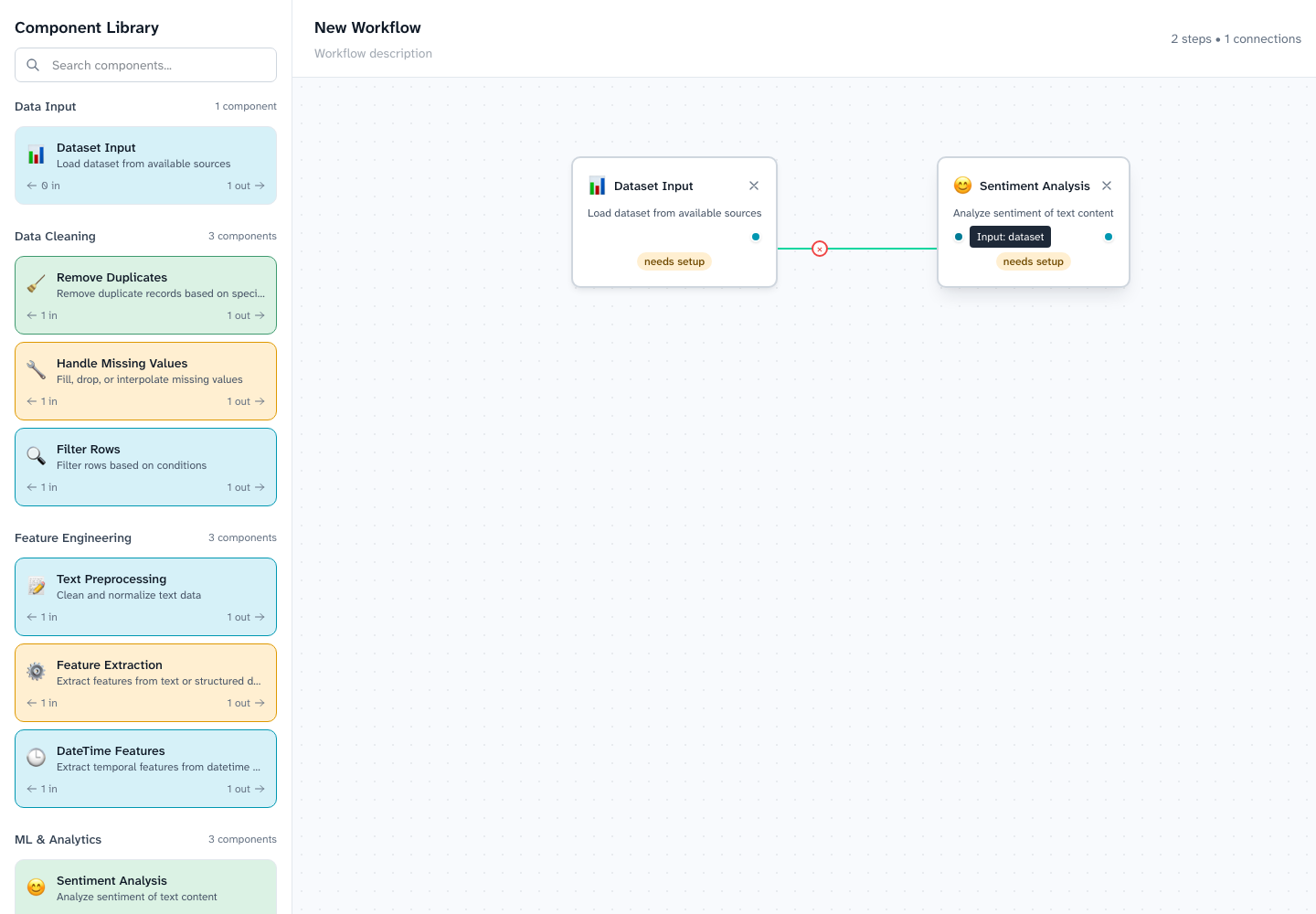
The library groups components as Data Input, Data Cleaning (remove duplicates, handle missing values, filter rows), Feature Engineering (text preprocessing, feature extraction, date-time features), ML & Analytics (sentiment analysis, topic modeling, clustering) and Data Output. Click a step to configure it; the search box above the library filters components.
2. Set up the steps
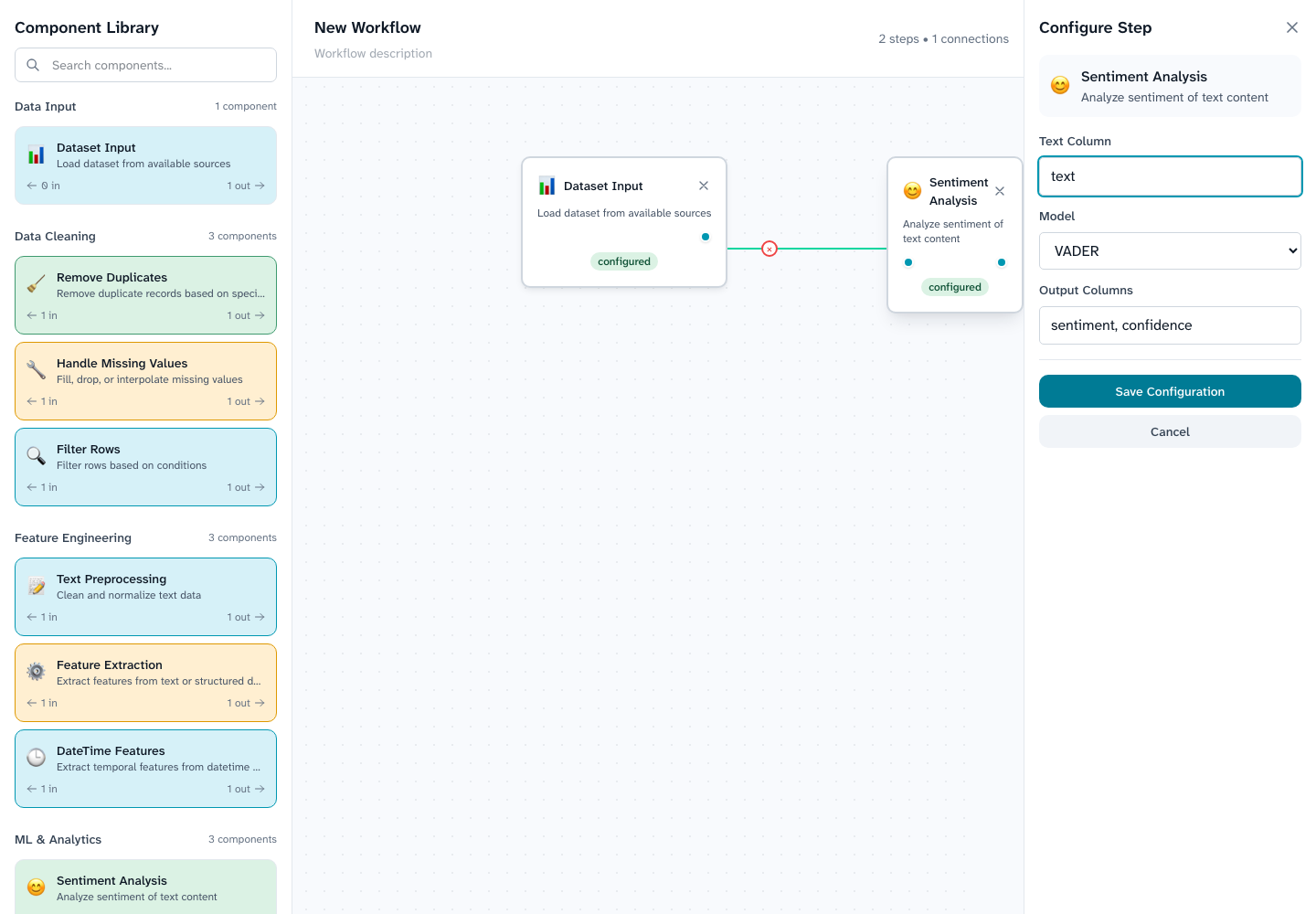
Publish stays disabled while any step shows needs setup; hover it to see what is missing. Click Dataset Input and choose a dataset, then click Sentiment Analysis and enter the text column (here text). Both steps now read configured.
3. Publish
Choose Publish.
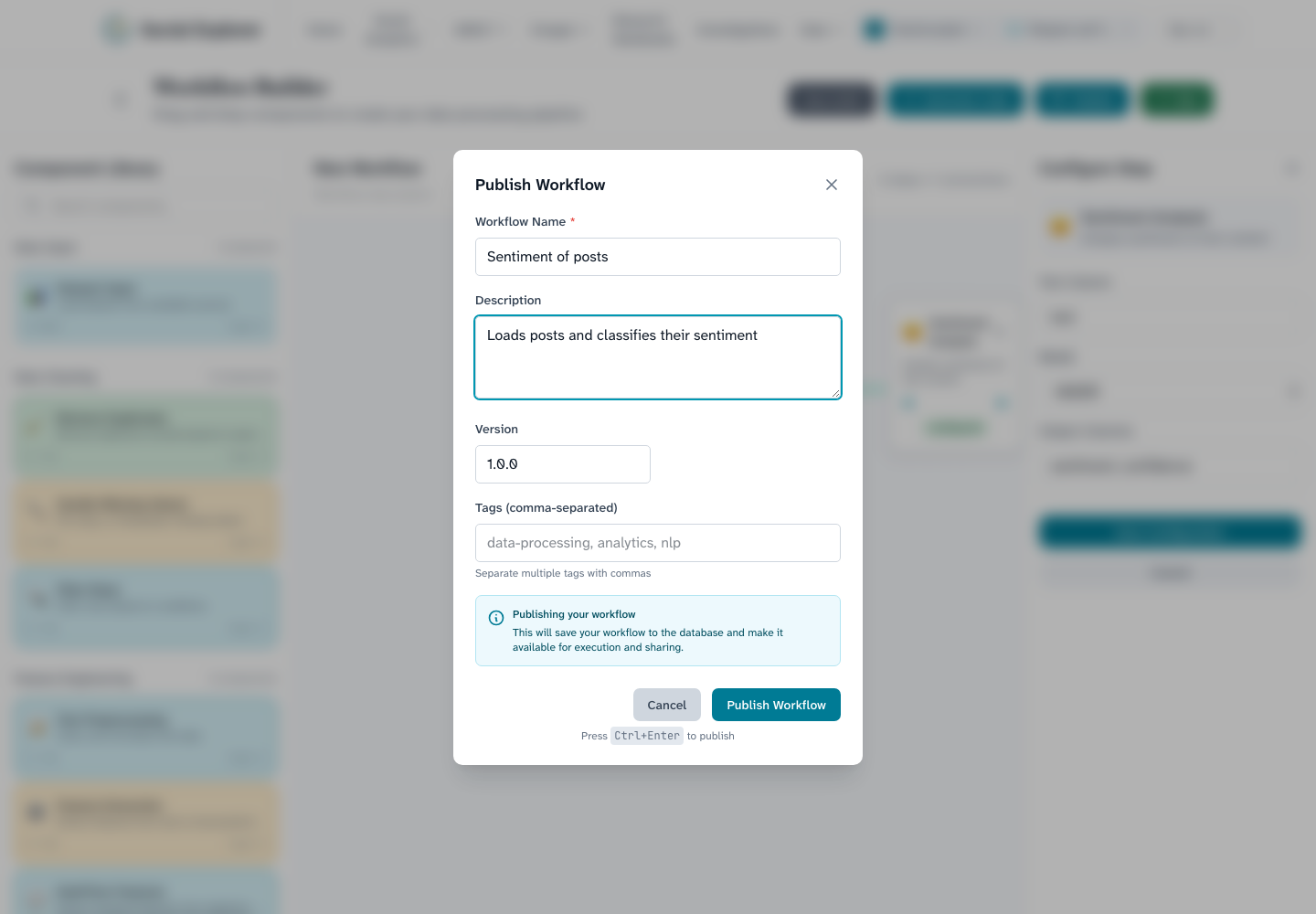
Enter a name (required), an optional description, a version and any tags. Publishing saves the workflow to the database; its creator is recorded as you. Press Publish Workflow (or Ctrl+Enter).
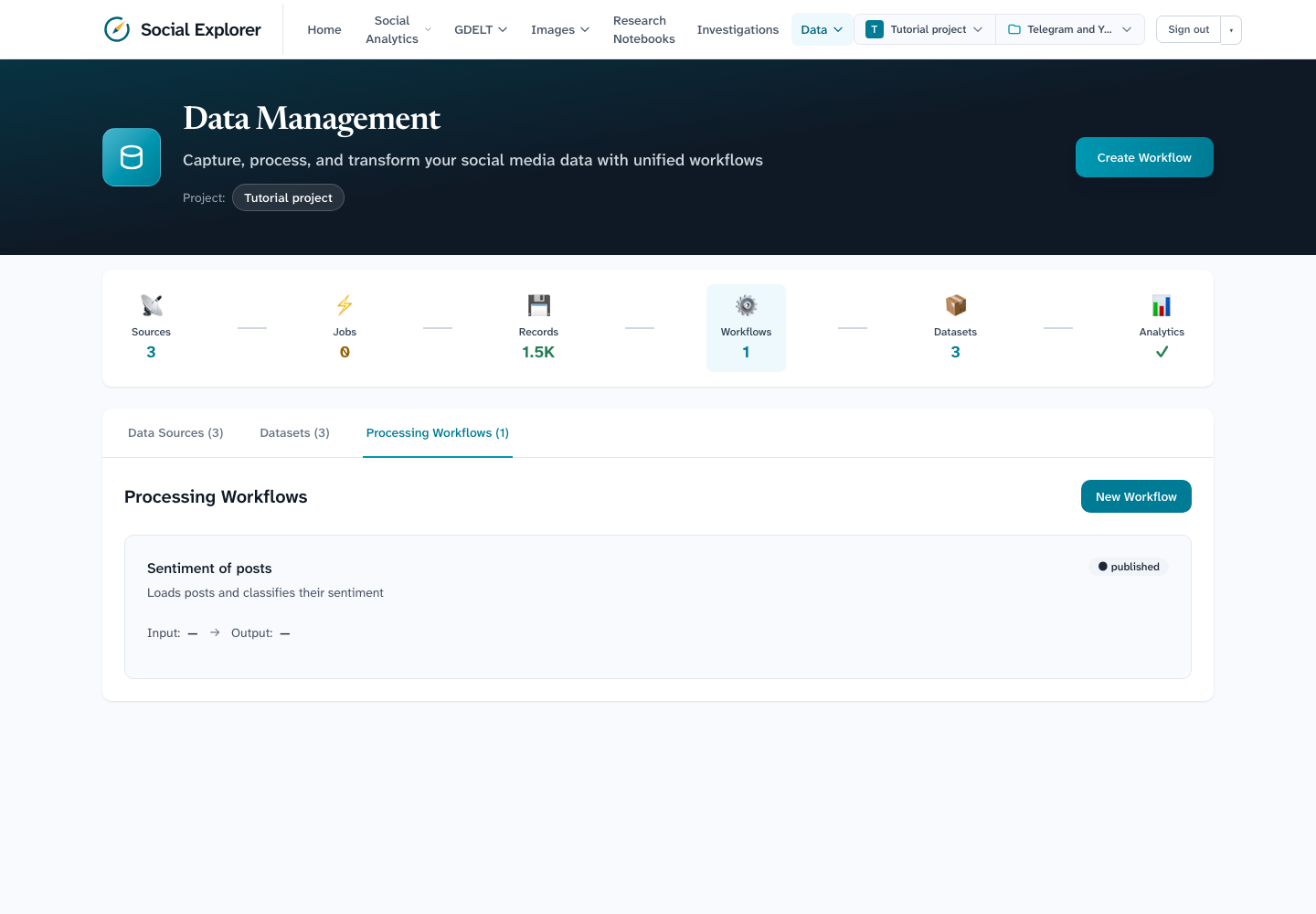
A message confirms that the workflow was published. It is then listed under Data → Data Management → Processing Workflows, with its name, description and status.
4. Generate code, save and run
- Generate Code shows the Python script the platform produces from your steps, which you can export.
- Save Workflow keeps a draft.
- Run publishes the current canvas and starts an execution. Each run is recorded with its status and logs. Runs need the Dapr sidecar (
npm run dev:dapr) anddaprplus the workflow's Python packages on the server. Without them the run fails and the failure is recorded with the reason, for example Dapr sidecar could not be started.
Security
Workflows execute generated Python on the server. Only administrators can publish, generate or run them, and workflow IDs are validated before any file or process is used. Treat workflow definitions as code.