

Your first project
A project groups related research. Inside it, workspaces hold the datasets you want to analyse together, and the dashboards can be limited to one workspace's data.
You need: the stack running, the demo data loaded and an account (see Getting started).
1. Create a project
Open Projects in the navigation and choose New Project, or go to /projects/new.
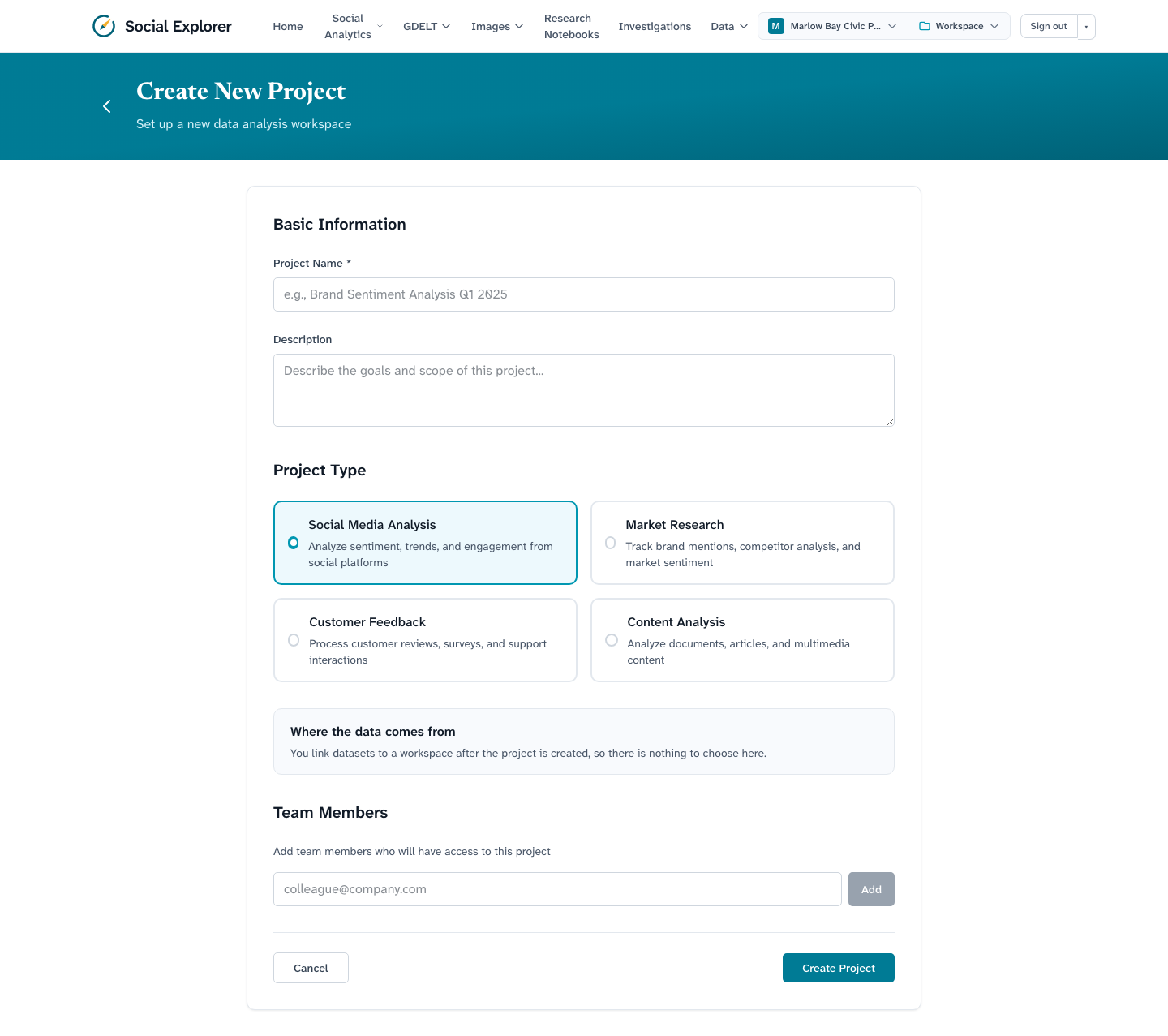
- Give it a name (required, and unique) and an optional description.
- Pick a project type. It labels the project; it does not change what the app does.
- Optionally add team members by email. You can add or remove people later from the Team panel on the project page. Only the project's members, its creator and administrators can then see the project and its workspaces (see Authentication and roles).
- Choose Create Project.
Where the data comes from is not chosen here: you link datasets to a workspace after the project exists.
You land on the project page, which is empty until you add a workspace.
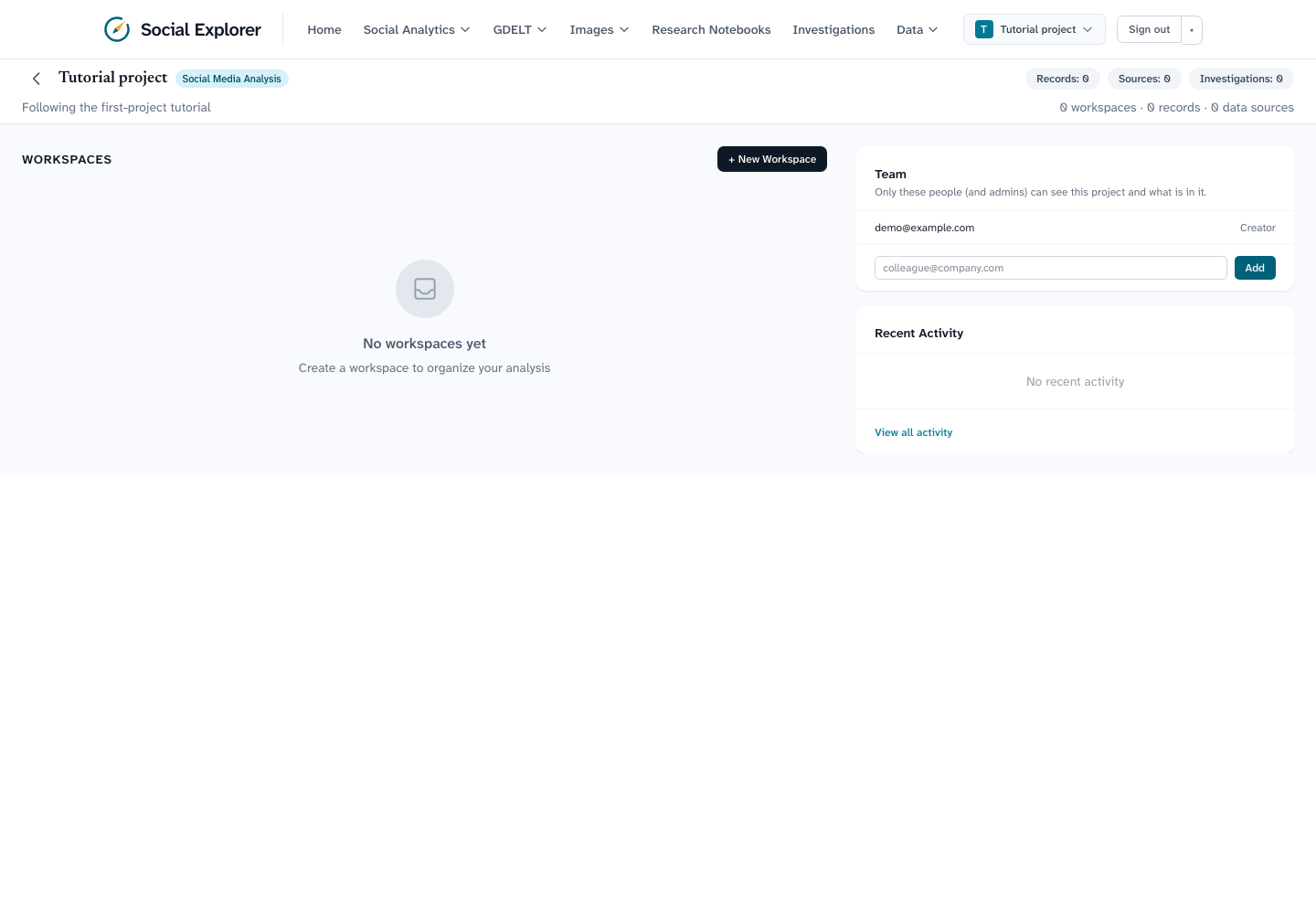
The Team panel on the right lists who can see this project. The person who created it can add or remove people there.
2. Create a workspace and attach datasets
Choose + New Workspace.
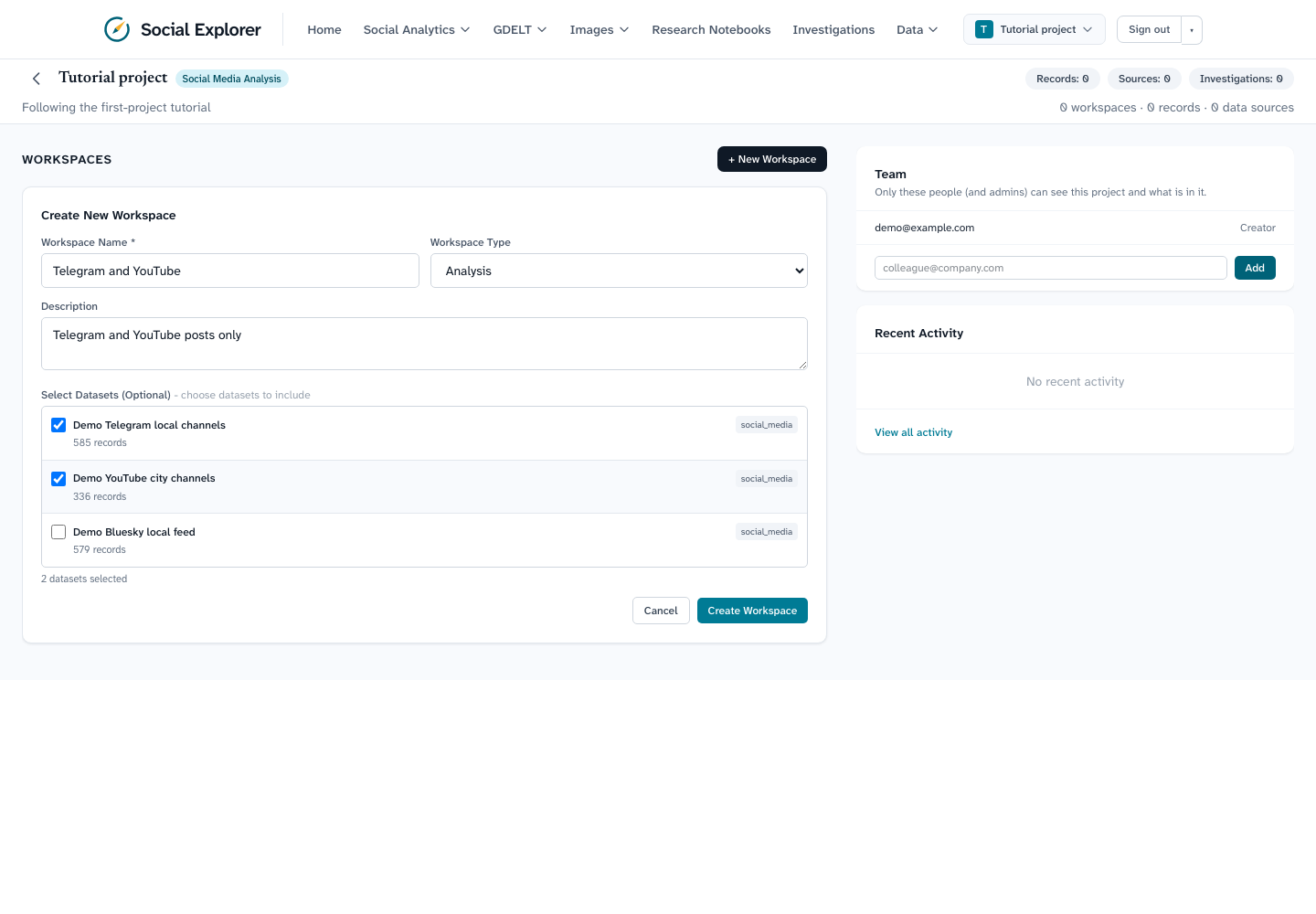
- Name the workspace and choose a type (General, Analysis, Exploration or Reporting). The type is a label.
- Under Select Datasets, tick the datasets to include. With the demo data you will see Demo Telegram local channels, Demo YouTube city channels and Demo Bluesky local feed. Tick the first two.
- Choose Create Workspace.
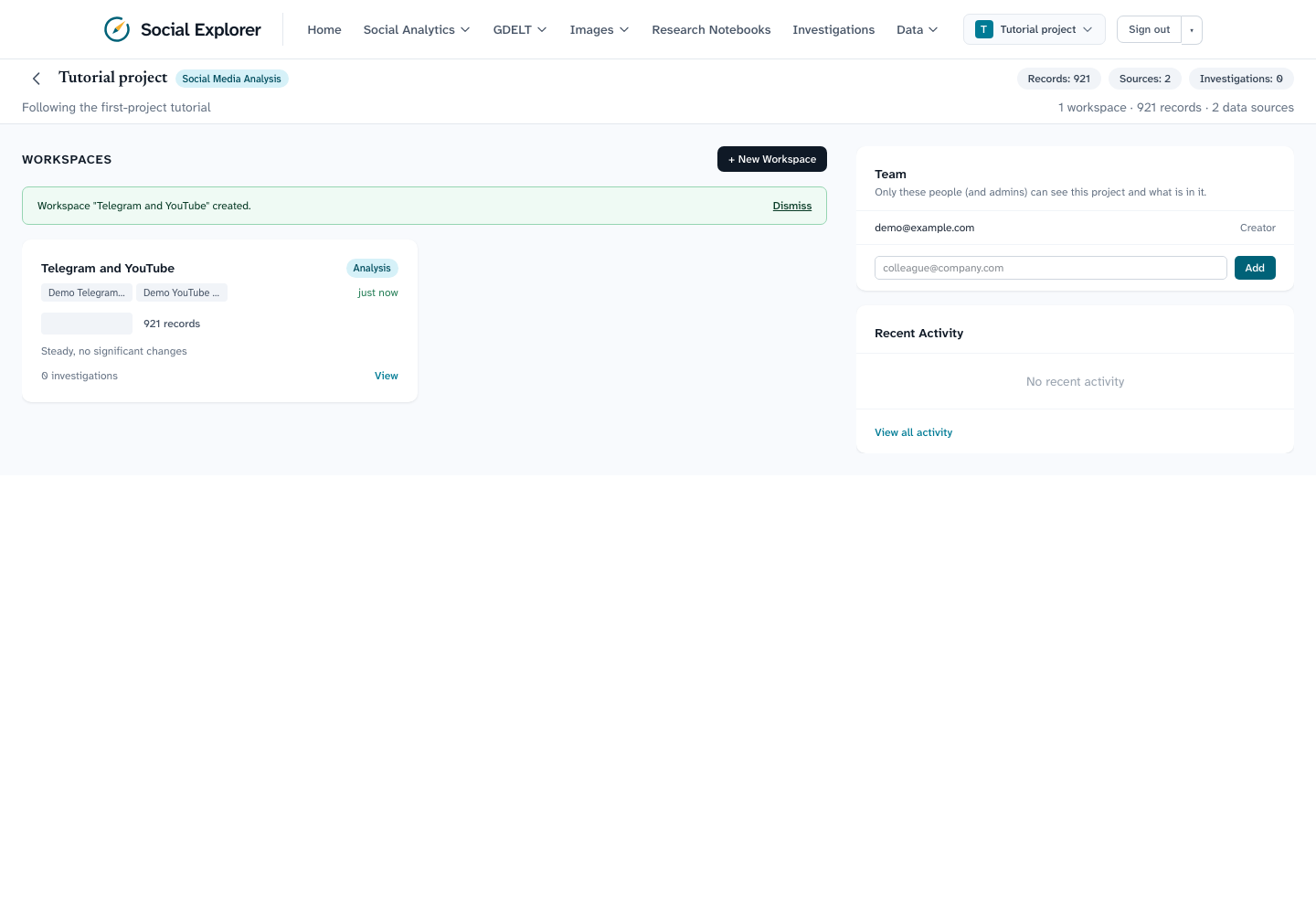
The card and the project header now count the posts in the datasets you linked (here 921 records from two data sources).
If a dataset cannot be added, a notice under the workspaces heading says so and why. Administrators can add any dataset; other users need access to it (the demo datasets are public).
3. Scope the dashboards to the workspace
In the navigation, open the Workspace selector (it lists Switch Workspace and shows each workspace's post count, here 921 posts) and choose your workspace. Then open Social Analytics → Sentiment Analysis. The address now ends in ?workspace=<id>, which is how the dashboards know which workspace to use.
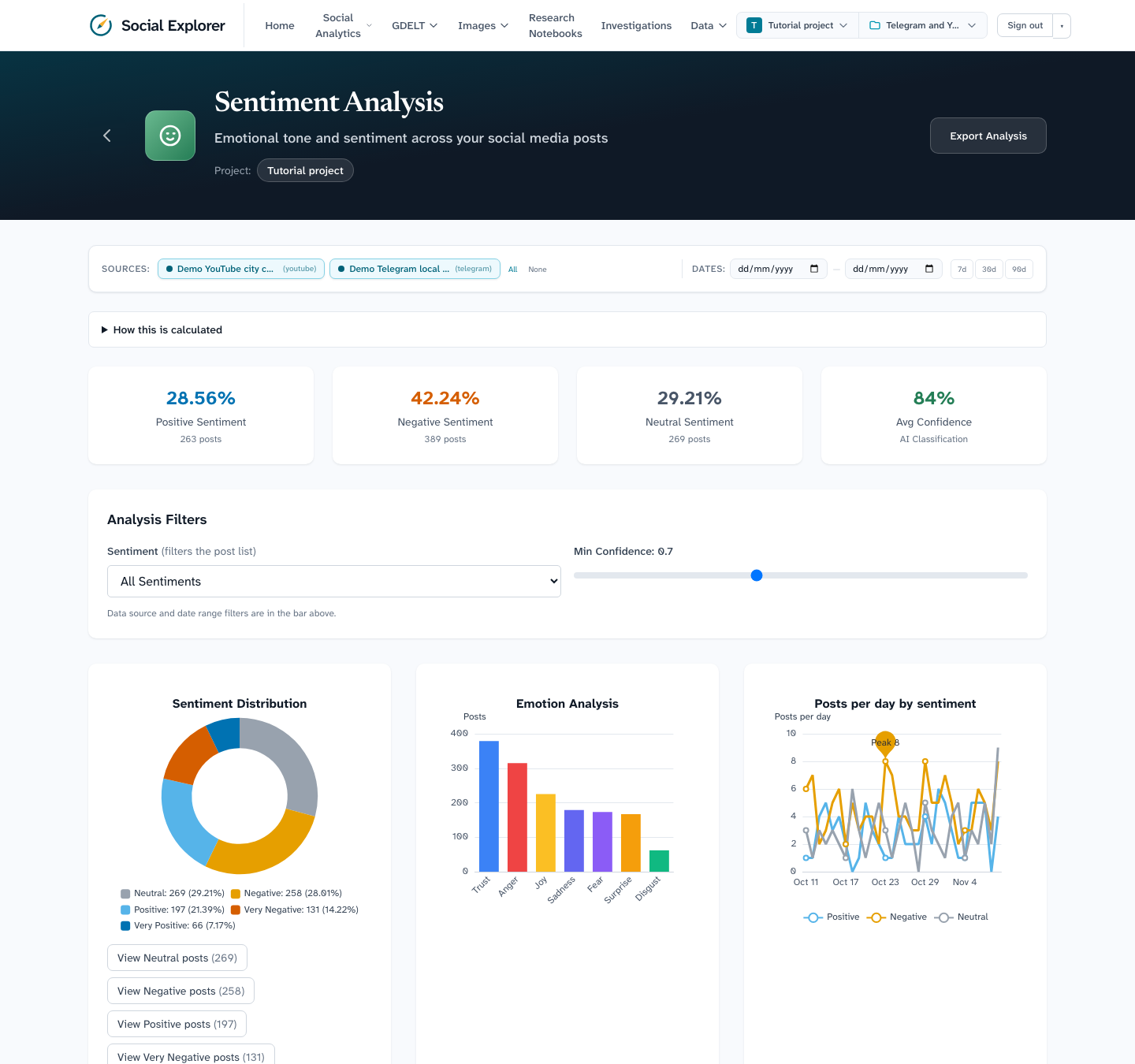
The source chips at the top list only the platforms in this workspace, and the totals cover only its posts: 921 instead of the full 1,500. Switch back to no workspace to see everything again.
What you learned
- A project holds workspaces; a workspace holds linked datasets.
- Linked datasets decide what every dashboard shows while that workspace is selected.
Next
Explore the analytics dashboards, or investigate a question.